AI · Strategy · Website Design · Personal Project
How I Built This Website
I spend a lot of time helping people organize complicated things, but when it came to building my own website, I had a familiar problem. I had plenty of ideas, a career spanning several industries, and absolutely no idea how to bring it all together without sounding like every other consultant on the internet.
So instead of starting with a website template, I started with research and a conversation.
01
Finding inspiration
I spent time exploring websites I liked, looking at how they presented their services, demonstrated their work, and made the experience interesting.
Two stood out: Kristen Parise's AI Mentoring, with its simple three-step approach to consulting, and ELM Strategy, which lets visitors explore actual examples of its work.
I loved the idea of making my website interactive, but I wanted it to feel like me. That eventually led to the pegboard concept, where everything has a place and visitors can explore different parts of my work.
02
Letting AI ask the questions
Rather than asking ChatGPT to write my website, I asked it to interview me. We went through 25 questions about my experience, what I enjoyed doing, who I wanted to help, and what I actually wanted my business to look like.
I also connected my LinkedIn profile, shared previous biographies, and gave ChatGPT examples of my writing. Then I pushed back whenever something didn't sound right (which happened quite a bit).
The biggest realization was that I didn't want to build another full-time business. I wanted a place to share my experience, take on interesting projects, speak, and create more freedom to do other things.
03
Turning ideas into something real
Once the positioning was clear, I used ChatGPT to develop the website structure, service offerings, project portfolio, and content. We organized everything into Markdown files and brought them into Claude Design to start building.
Instead of asking AI to invent the entire website, I gave it the research, decisions, and content we'd already worked through. That made the design process much more intentional.
04
The pegboard I hated, and the pivot
The first designs were built around the pegboard idea, with every page hanging from a hook or sitting on a shelf. When I actually looked at it, it felt like AI slop, and it didn't look like me at all.
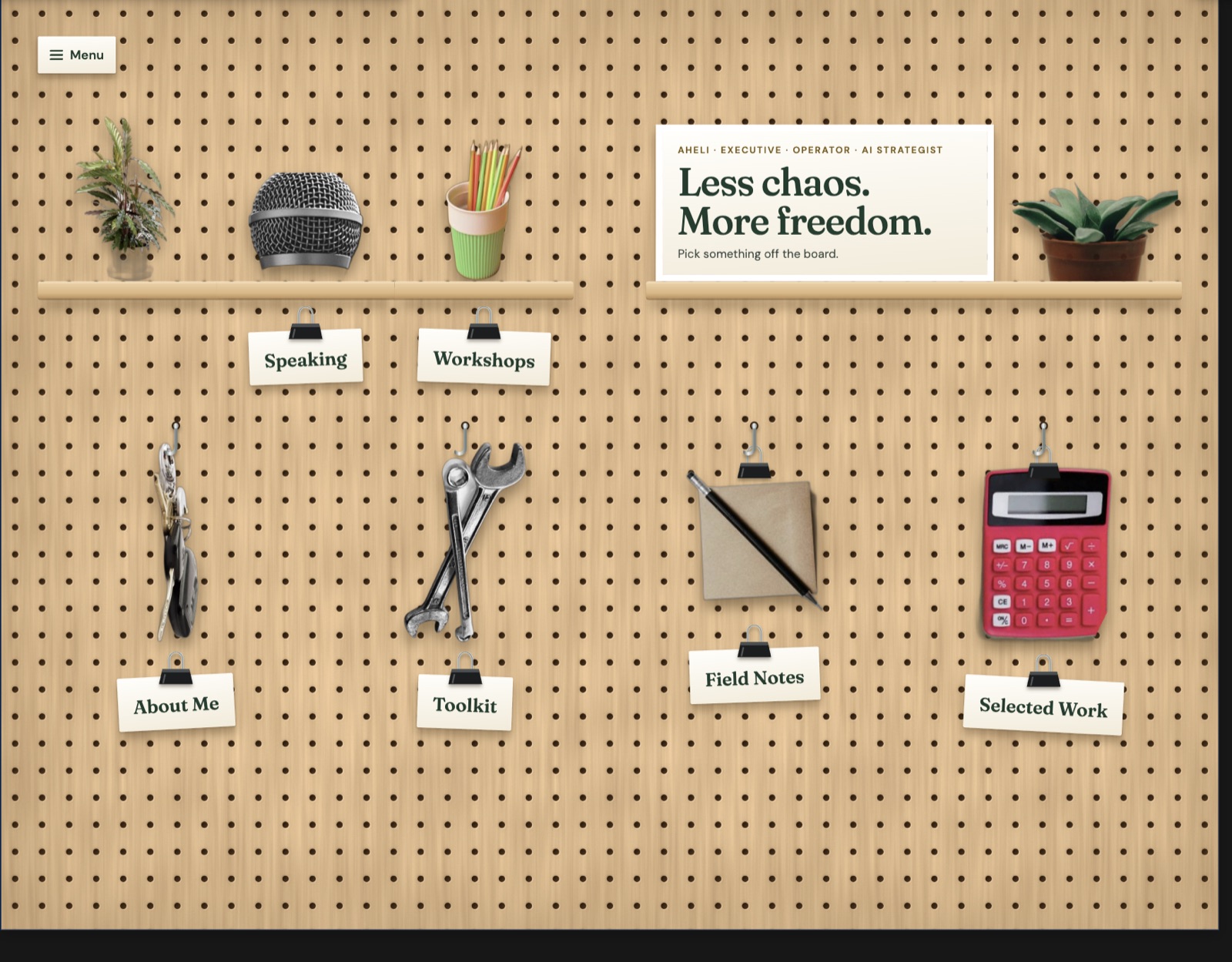
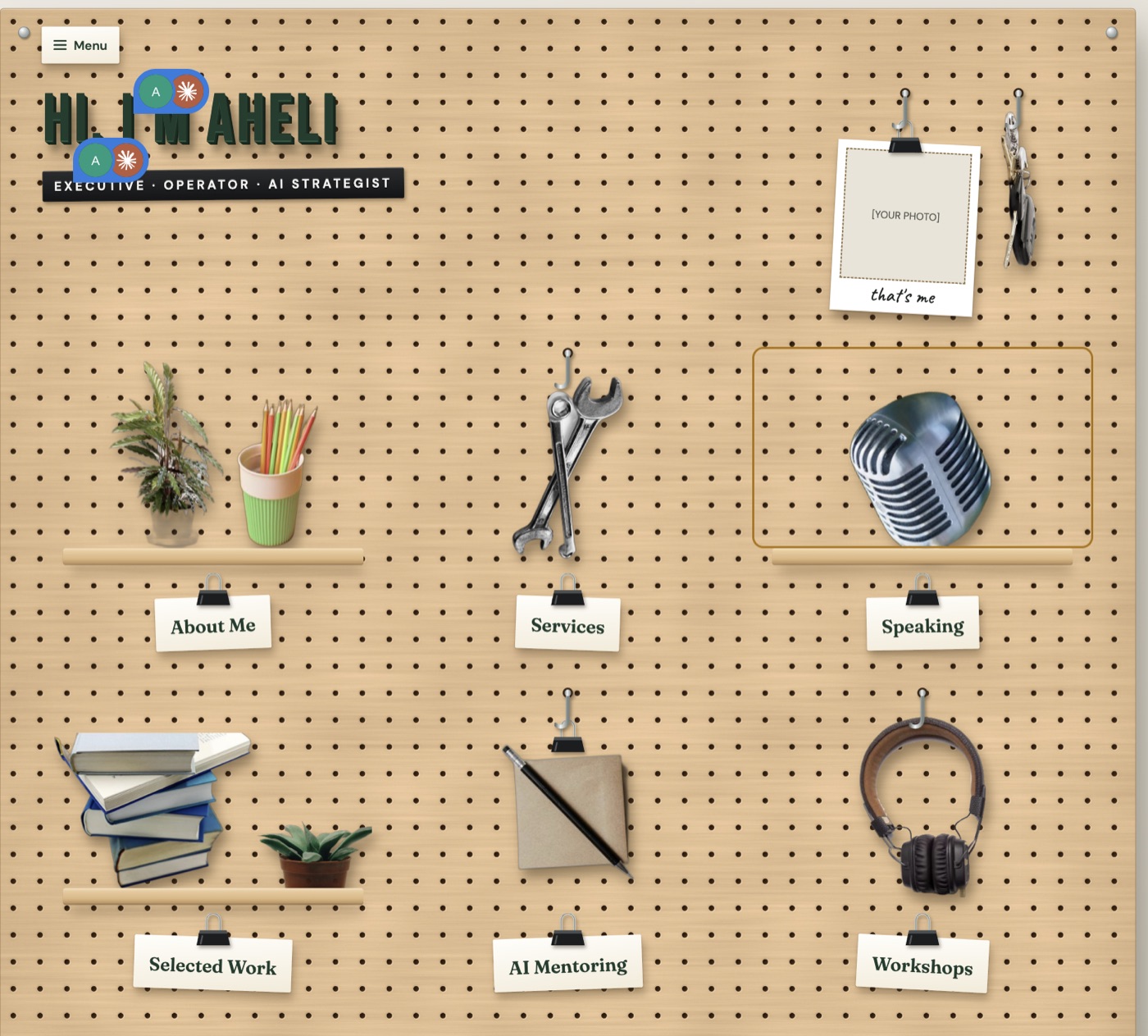
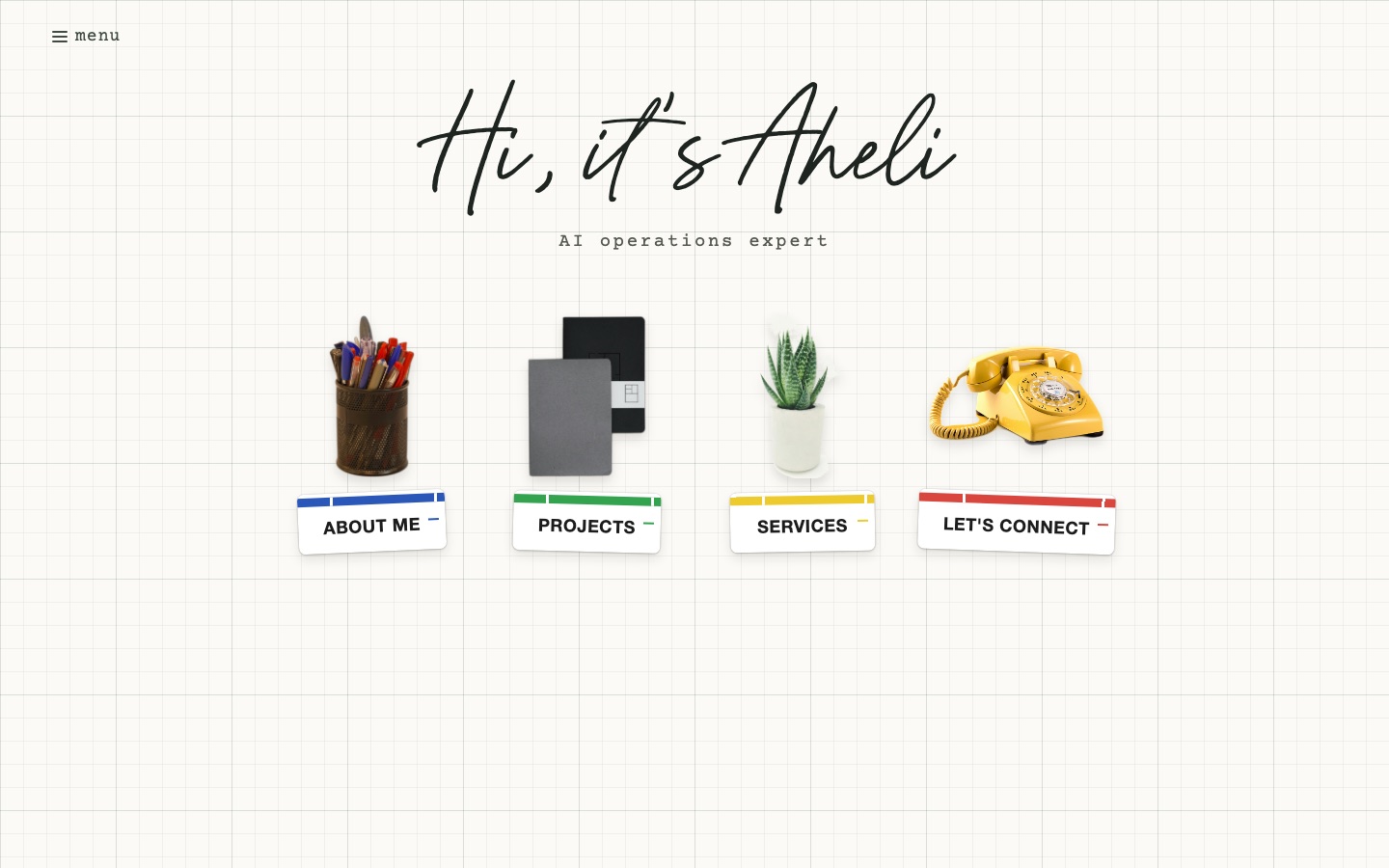
So I started over with the things I actually like. I love graph paper and grids, so that became the background on every page. The objects on the home page (a cup of pens, my notebooks, a plant and a yellow rotary phone) are all things that represent me, and each one opens a different part of the site. I also wanted the whole thing to feel calmer, with more white space and a lot less going on.
What I learned
The most useful part of AI wasn't how quickly it could generate a website. It was having something to think with, ask questions, challenge my assumptions, and help turn a fairly messy collection of ideas into a plan.
The tools did a lot of the heavy lifting, but I still had to decide what mattered, what sounded like me, and what I wanted to build.
Which is really the point of how I think about AI:
Automate the busywork, not the humanity.
Want to think something through like this?
See how I help, or just say hello.